
Made for the whole family
One Tonic Notes account now holds a profile for each musician in the family, and runs full-size on iPads and tablets.
One account for the family. A personal space for each musician.
Most households with music lessons have more than one musician in them, and more than one device. Our new release was designed with families in mind: one subscription with personal profiles for each member and a full-size layout built for iPads and tablets.
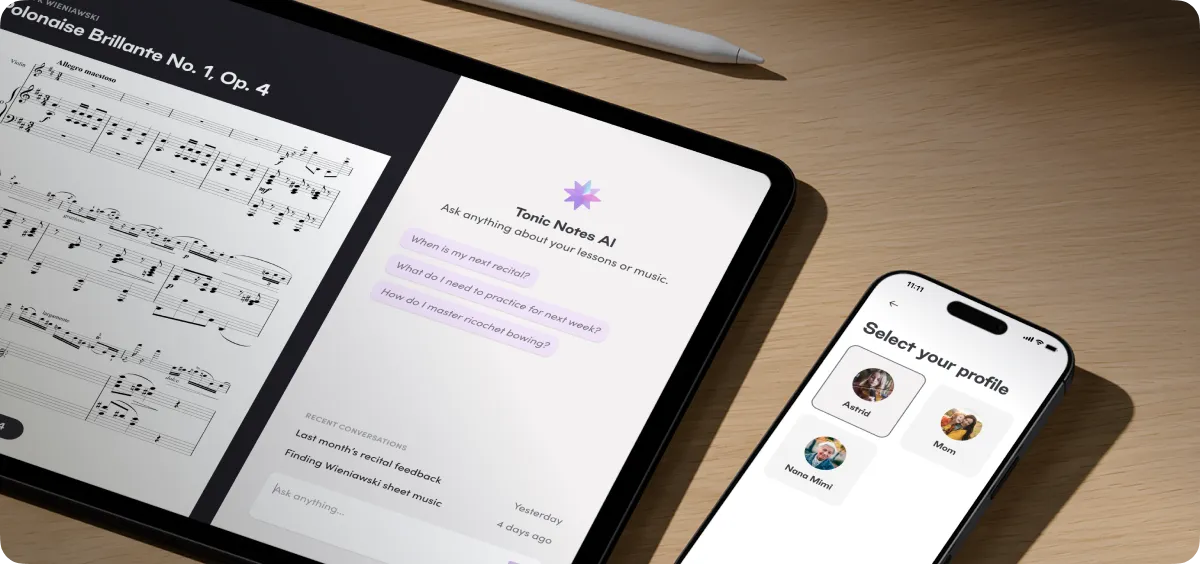
Here is what each one does, in detail:
Personal profiles
One account, one subscription, and a profile for each person on it. Every profile is a separate space: its own lessons, recordings, transcripts and summaries, its own pods, its own pieces, its own practice sessions and stats, and its own conversations with Tonic Notes AI. The assistant only ever sees the profile it is talking to, so your daughter's questions get answers from her own lessons, not her older sister's.
Tonic Notes Premium covers every profile on the account.
Adding a profile. Go to Settings, then Manage account, then Add profile. Enter a name and a birthday. If the new musician is under 13, you also enter a parent or guardian's email, and we send them a link to approve the profile. The profile only appears on the profile selection screen once they do. The first time someone opens their new profile, they choose their instruments and their role (student, teacher, or parent), and the app is theirs from there.
Switching. When an account has more than one profile, the app will open on Select your profile. Inside the app, Settings has a Switch profile row that opens the same screen. The switch is clean: if a recording is still uploading, the app finishes the upload first, and you cannot switch in the middle of a recording or a practice session. Push notifications are also profile-specific so a push notification meant for another profile switches you to that profile before it opens the item.
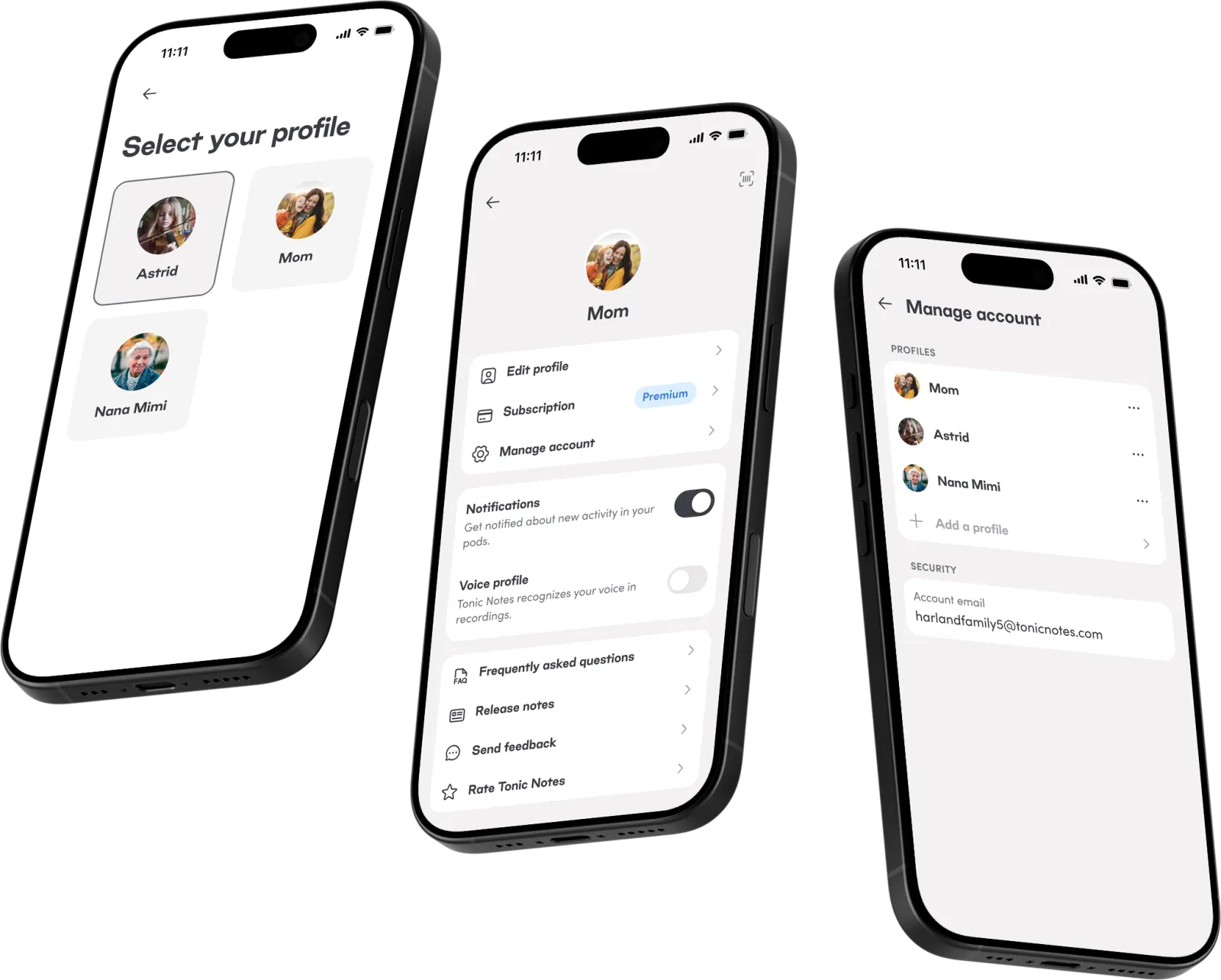
What stays shared. The login and subscription. Every profile on the account signs in with the same email and password or the same Apple or Google account, so changing them signs everyone out on every device. Everything else, including what each profile keeps on the device itself, is personal to each profile.
Profiles on the same account can be in the same pods by invitation (same as before), so a parent can keep a profile of their own and still follow a child's lessons through a shared pod, while a teacher who is also a student can keep those two lives separate.
Optimized for iPads and tablets
The app now runs full-size on iPads and Android tablets. Text scales up, sheets and menus stay a comfortable width instead of spanning the screen, and the tab bar stays compact. On iPad, Tonic Notes also works in Split View and Stage Manager beside another app.
Tablets rotate with the device; phones stay upright. Turn an iPad sideways and Tonic Notes AI moves into a section on the right, beside whatever you are looking at: a lesson summary, the transcript, your homework, a practice session, or your library. The panel remains with you from screen to screen, so you can ask about the passage in front of you without interruption. Turn the tablet back upright and the conversation moves into a sheet, nothing lost, even a message you were halfway through typing.
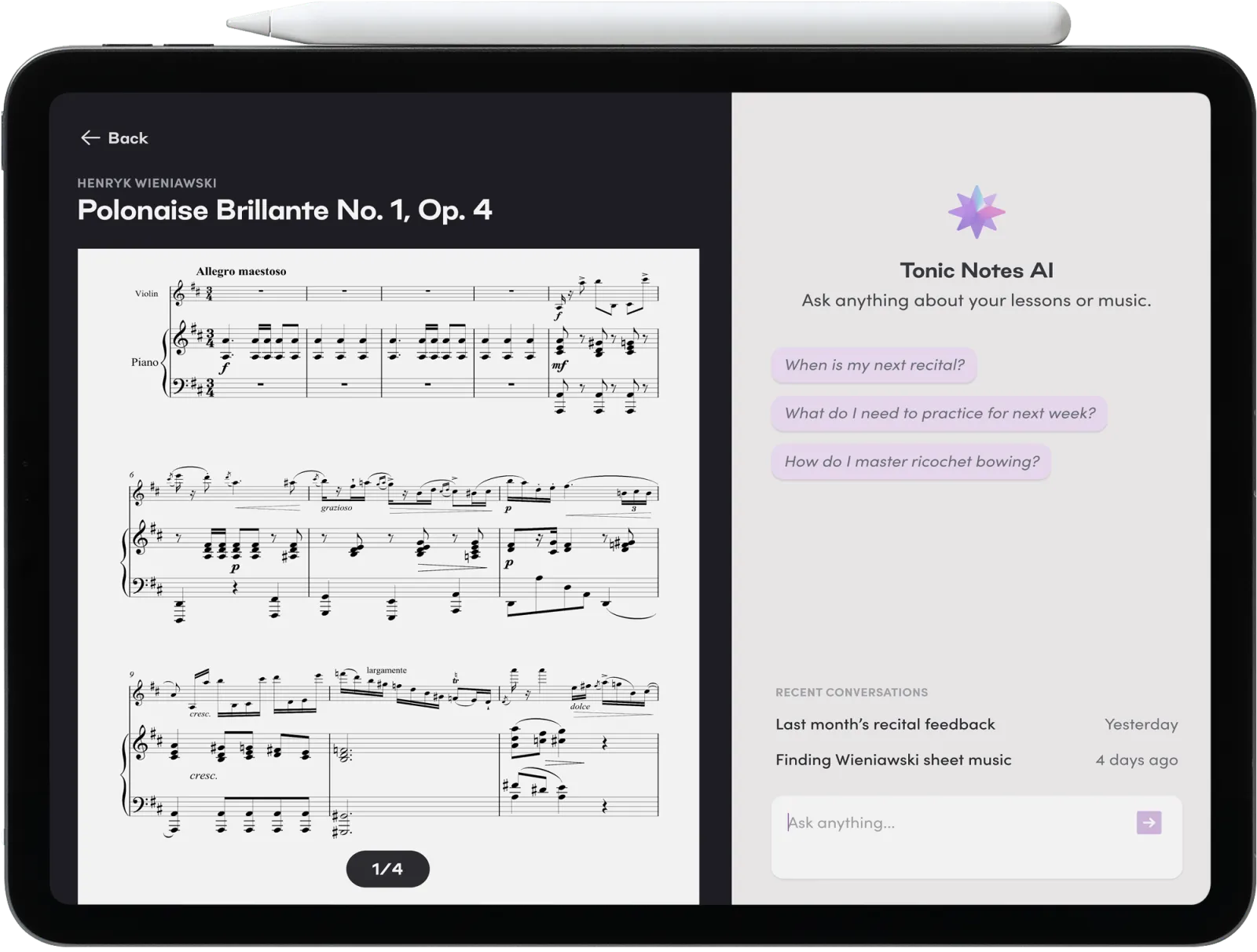
This is the setup we had in mind for the music stand. Prop the tablet up with your lesson summary and practice plan open, keep your sheet music beside it, and rotate when you want the assistant's help. Sheet music you have added to a pod opens page by page with a swipe, and a tap hides the controls so the page fills the screen.
We built this release for families, and we would love to hear how it works in yours. Tell us what is working, what is missing, and what you would like to see next at support@tonicnotes.com.